Data protection
Secure management of encrypted files, Windows integration, and protected sharing
Overview
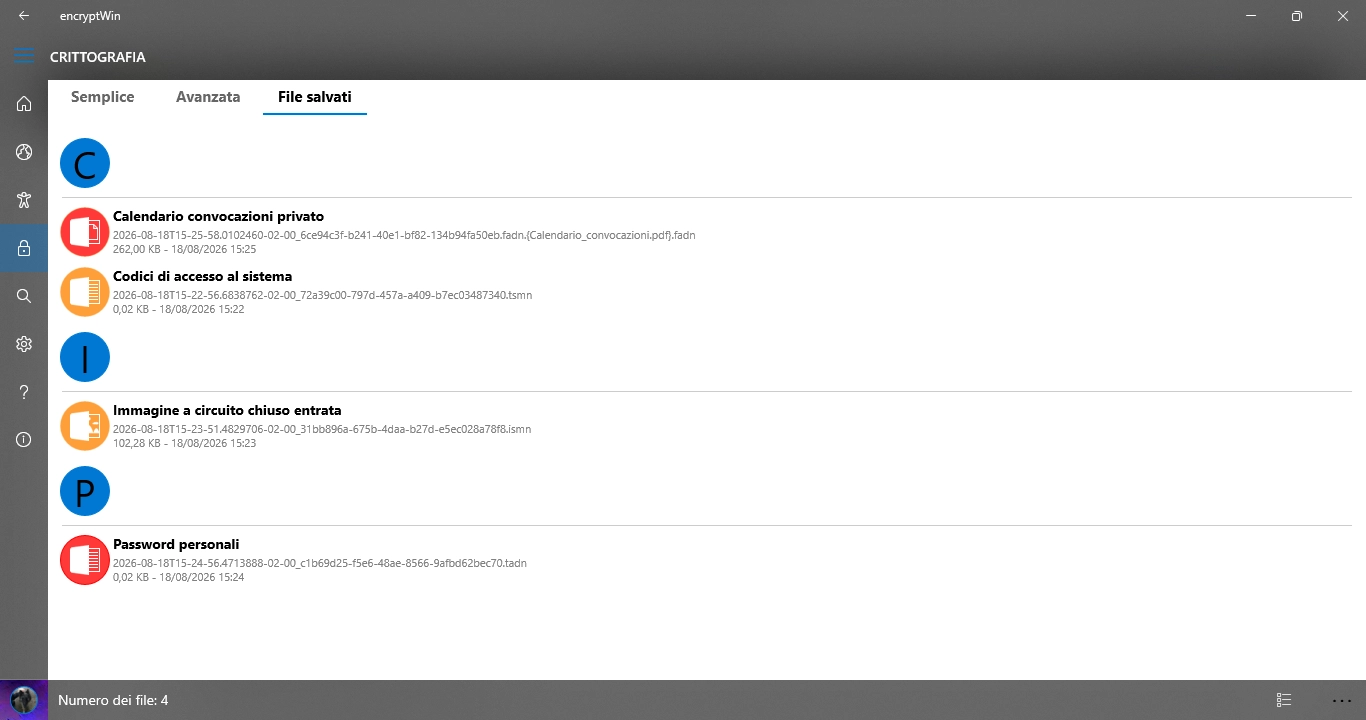
The app includes an advanced encrypted file management system that allows you to save, open, share, and protect encrypted content directly on your device
All data is handled securely: protection is ensured by AES encryption applied to every piece of content, regardless of its physical location
Secure Archive
Encrypted files are stored in a dedicated area of the application, where each item is managed through specific extensions depending on the type of content. There is no "safe folder": protection comes from the fact that every file is fully encrypted using AES
The extensions used include: .tsmn (simple text mode), .ismn (simple image mode), .fadn (advanced file mode), .tadn (advanced text mode), and other dedicated variants
- Saving already encrypted files
- Protection ensured by AES encryption
- File management through the app interface
- File details (type, size, date)
Opening and Decryption
To open an encrypted file, you must enter the correct key. encryptWin verifies the key and, if valid, securely decrypts the content
- Key required for each file
- Secure AES decryption
- Preview of decrypted content
- Support for text, images, audio, GPS location, and generic files
Sharing
encryptWin allows you to share encrypted files with other compatible apps or services while maintaining AES protection
- Sharing through the Windows Share menu
- Sending encrypted files to other apps
- Compatibility with encryptWorld
- Secure sharing without decryption
Windows Integration
encryptWin is integrated into the operating system, allowing you to manage encrypted files directly from Windows
- Association of encrypted files (.ismn, .tsmn, etc.)
- Opening encrypted files directly from File Explorer
- Automatic import into the secure archive
- Support for the "Open with encryptWin" context menu
Secure Deletion
encryptWin allows you to securely delete encrypted files, removing them completely from the device without leaving traces
- Secure file deletion
- Removal from the protected archive
- No traces in logs or history